1.2.3 First start and start menu
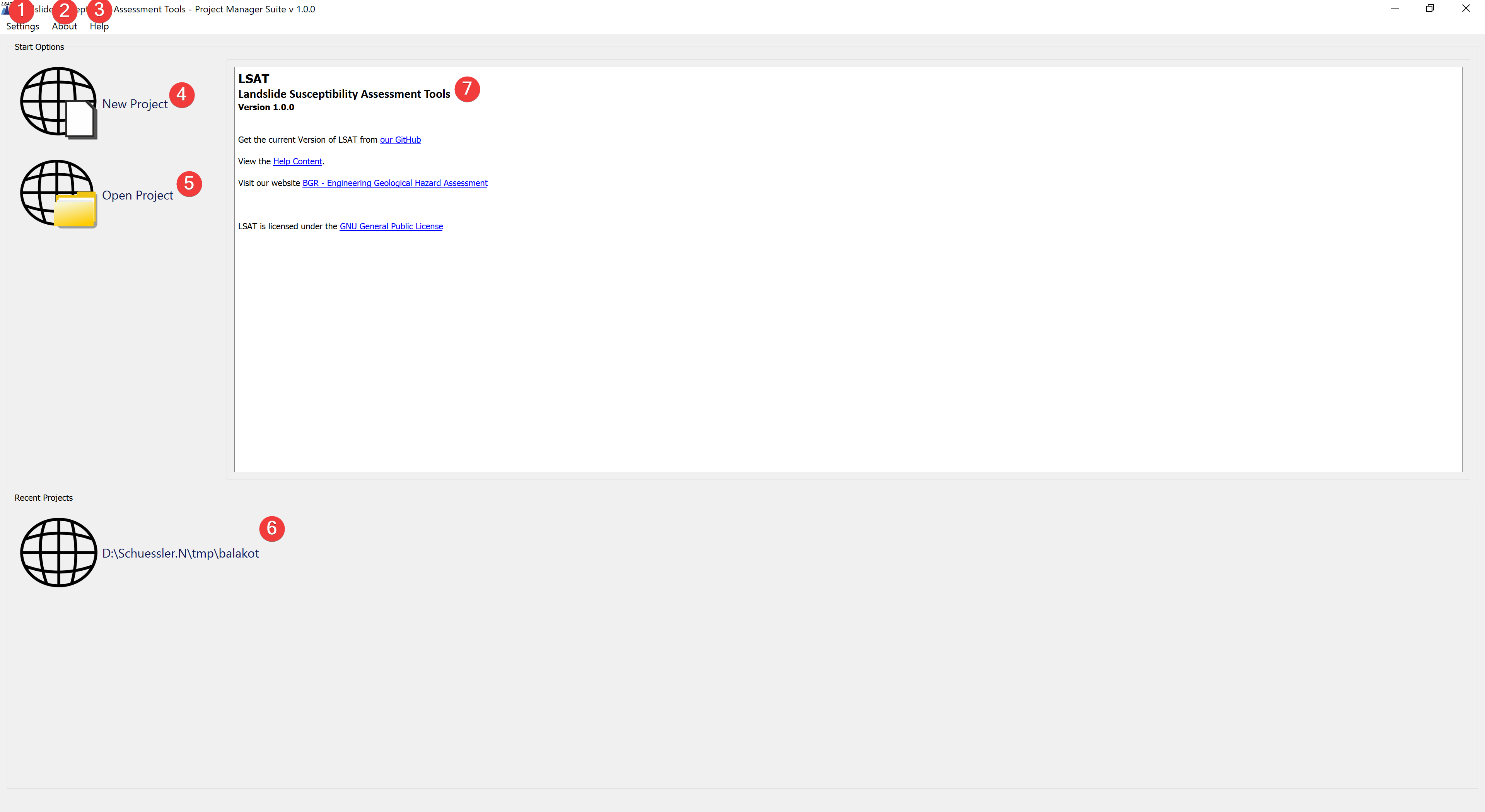
Fig. 1.1 LSAT Start Menu
The start menu appears when LSAT starts. You can quickly create new projects and open existing ones. Settings can be adjusted and the documentation opened.
1.2.3.1 Overview
Settings (1) contains the Language Settings.
About (2) contains Information about LSAT.
Help (3) leads to the documentation.
New Project (4) opens the New Project Widget.
Open Project (5) opens a dialog to load an old project.
Recent Projects (6) shows up to three of the most recent projects. Clicking on them instantly loads them into LSAT.
Note
To replace the default thumbnail with a custom one save an image as thumb.png in the project root folder.
The information text (7) contains information where you can get the newest LSAT version, license information and ways to contact the developers.