2.3.1 Language
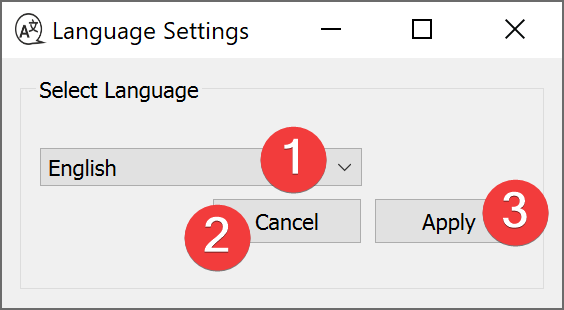
Fig. 2.32 Language Widget
The language widgets changes the language of the LSAT User Interface.
2.3.1.1 Usage
Select your preferred language in the combo box (1).
Click Apply (3).
Restart LSAT.
When you close the dialog with Cancel (2) the language won’t change after a restart.
2.3.1.2 Information
The translations are stored in core/resources/qt_*language*.qm
They are created from .ts files in the same directory.
The initial language for LSAT is English. If LSAT can not translate a string it will fall back to the English version.