3.2.2 Random Sampling
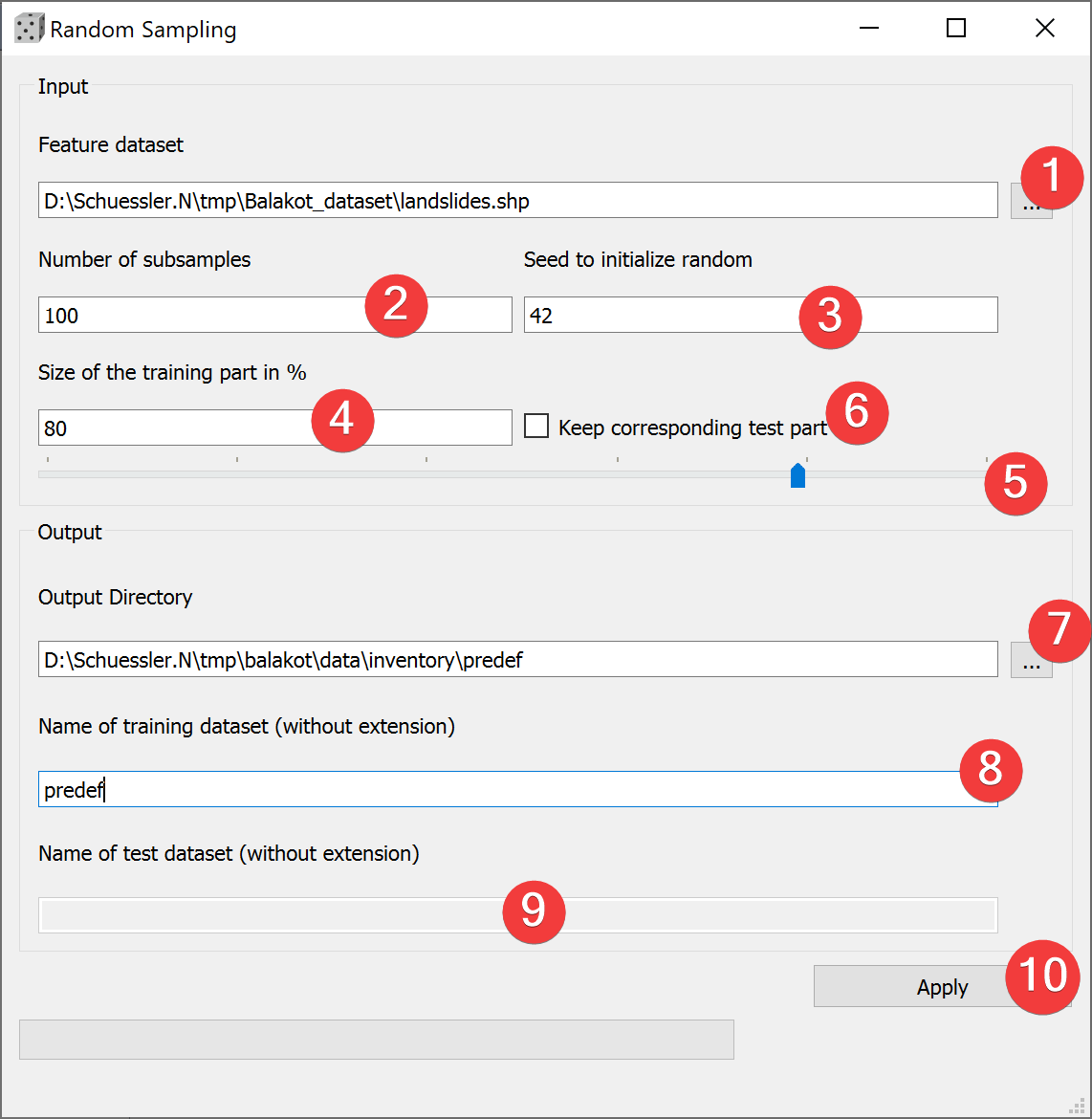
Fig. 3.6 Random Sampling Widget
Create predefined subsamples.
3.2.2.1 Usage
- Pick a vector dataset to subsample. You can either type the absolute path to the file orselect it from your PC (1).
Define the number of subsamples to create (2).
(Optional) Define a seed to initialize the random function (3).
(Optional) Decide to keep the corresponding test part (6).
- (Optional) Adjust the size of the training part either by typing the number (4) or adjustingthe slider (5)
(Optional) Adjust the output location either by typing the output path or with a dialog (7).
(Optional) Name the training dataset(s) (8).
(Optional) Name the test dataset(s) (8) (Only if you save them).
Create the subsample(s) (10).
By defining a seed to initialize random (4) you can recreate the subsamples on a later date.
You can only name the test dataset if keep the corresponding part (6) and if the size of the training part (4) is < 100 %.
3.2.2.2 Sampling process
LSAT only considers the total number of features when sampling the inventory into a training and test dataset.
3.2.2.3 Input and Output
Input |
Vector dataset |
Output |
Vector training dataset(s) Naming scheme: /*Name (8)*_*Nr. of subsample*.*ext* (Optional) Test vector dataset(s) Naming scheme: /*Name (9)*_*Nr. of subsample*.*ext* |