4.1.4 Weight of Evidence (WofE)
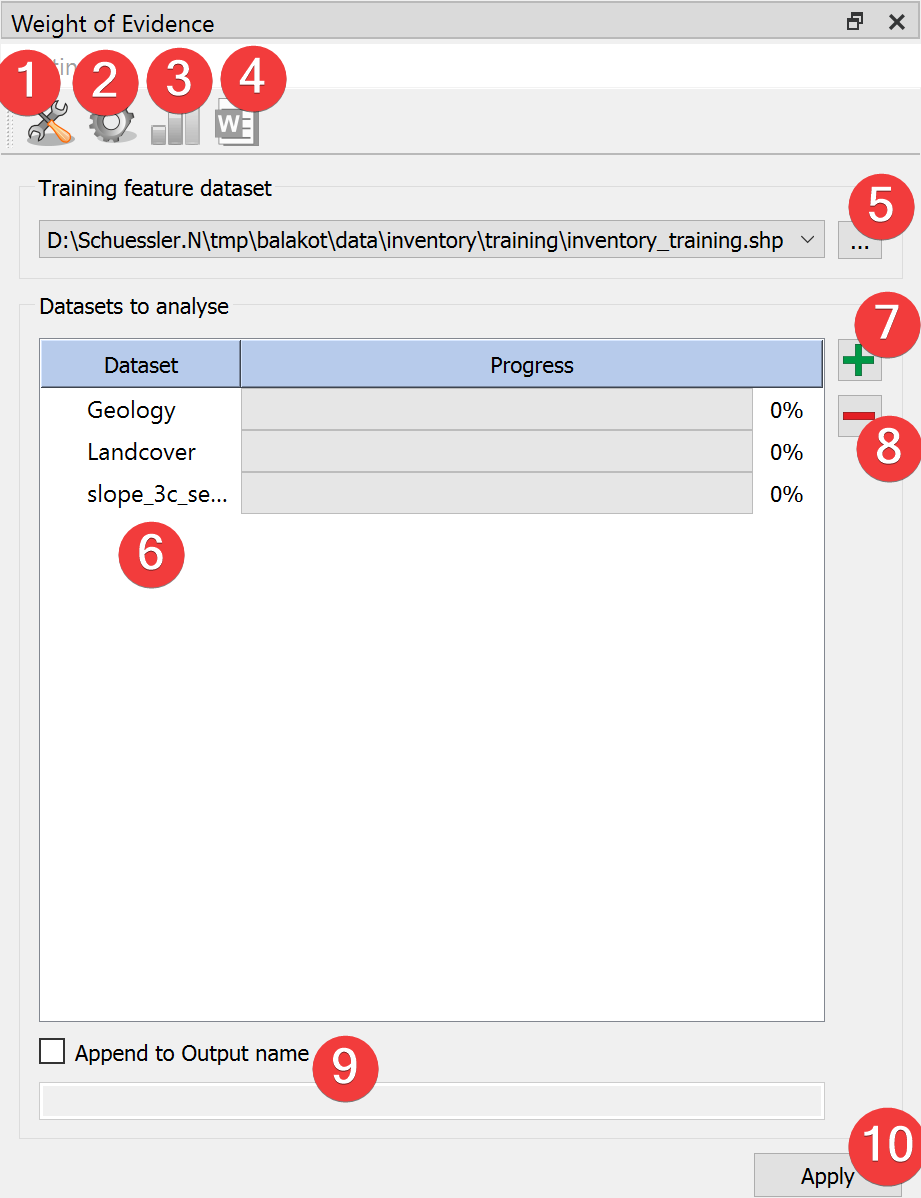
Fig. 4.8 WofE Widget
Run Weights of Evidence (WofE) analysis.
4.1.4.1 Usage
- Add a vector file with the landslide inventory. You can pick one from the project with thecombobox or select it from your PC with a dialog (5).
Add (7) raster datasets to the datasets to analyze (6)
(Optional) Adjust the calculation settings in the advanced settings (1)
(Optional) Add an appendix to the output name by checking (9) and typing it in
Start the calculation (10)
After the calculation finished select a dataset (6) to view the results (3).
4.1.4.2 Advanced Settings
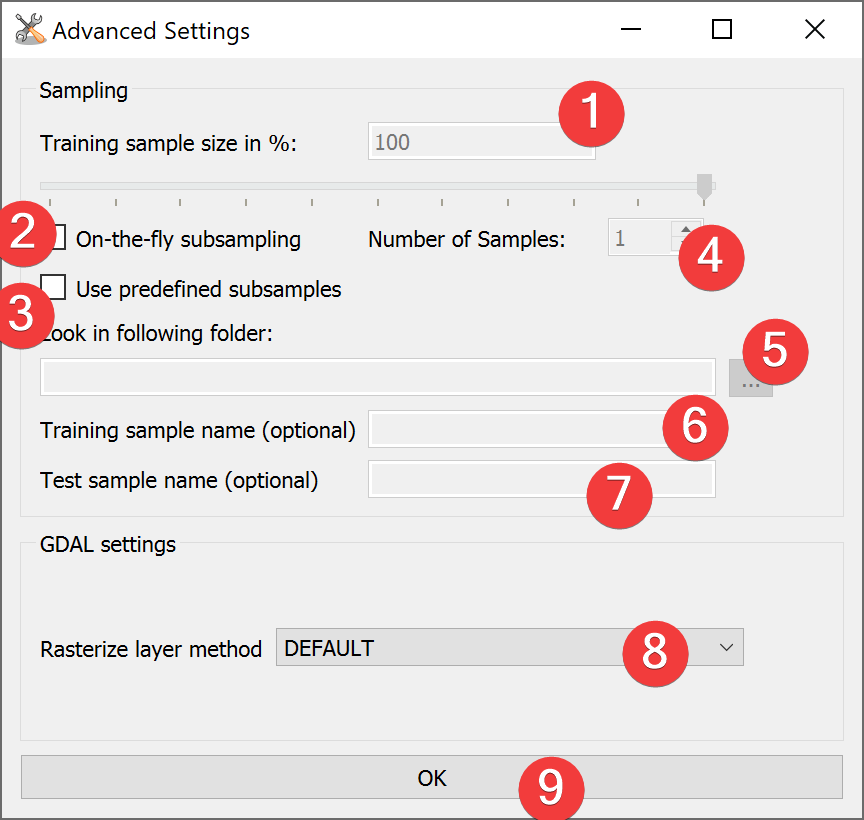
Fig. 4.9 WofE Advanced Settings Widget
Weight of Evidence uses the same Advanced Settings as Model Builder.
- Choose between On-the-fly subsampling (2), predefined subsamples (3) or select neither to usesingle sample mode
On-the-fly subsampling (2)
- Set the size of the subsamples as percent of the import feature either by typing anumber (1) or adjusting the slider.
Set the number of samples to generate on-the-fly
Predefined subsamples (3)
- Provide a path to the folder with the predefined subsamples. You can either type inthe absolute path yourself or pick one with a dialog (5).
Single sample mode (neither (2) nor (3) selected)
By selecting neither (2) or (3) LSAT will use 100% of the feature.
(Optional) Change the rasterization method (8)
Select OK (9)
4.1.4.3 Information
The output raster dataset (.tif) contains the calculated Weights.
Only discrete raster datasets are suitable to analyze with WofE. If you have a continuous raster reclassify them first with the Sensitivity Reclassification Widget or Reclassify Widget.
4.1.4.4 Input and Output
Input |
Raster dataset(s) (.tif) Feature dataset (Vector file) |
Output |
WofE model raster dataset (.tif) Output path: /results/WoE/rasters/*output name**appendix (if any)*_woe.tif WofE model information (.npz) Output path: /results/WoE/tables/*output name**appendix (if any)*_tab.npz |