3.3.1 Aspect
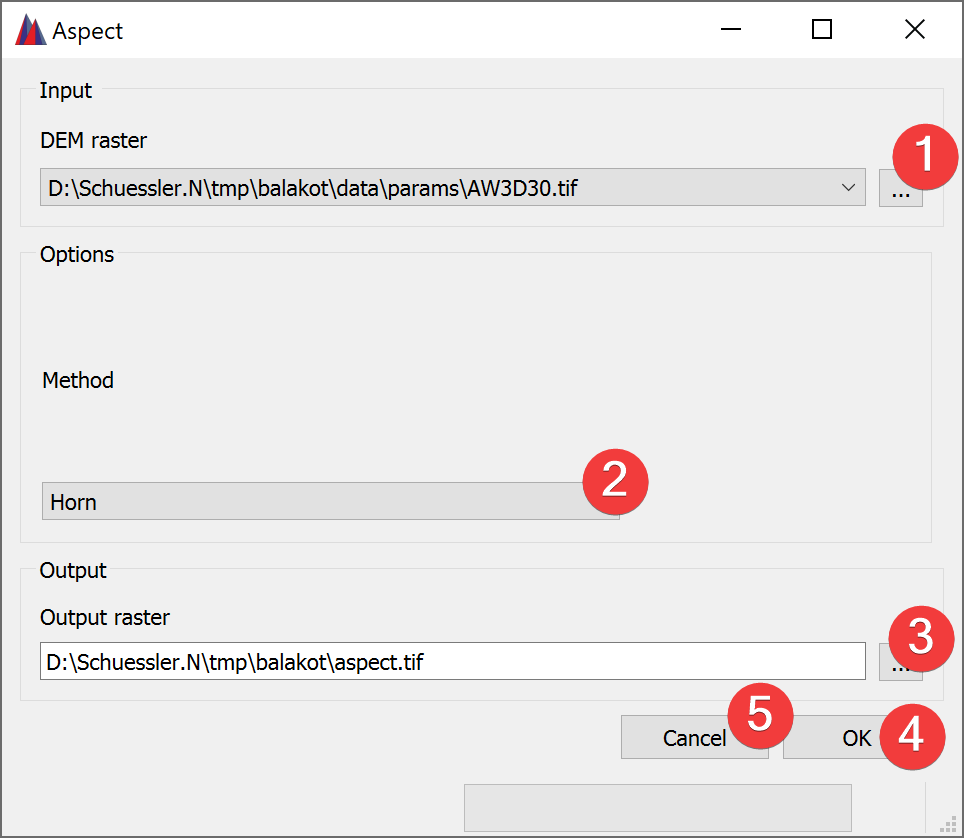
Fig. 3.8 Aspect Widget
The aspect widget creates a new raster based on the calculated aspect from an input DEM raster.
3.3.1.1 Usage
- Select the input DEM raster. You can either select from imported rasters using the Inputcombo box or select one from your PC (1).
Select the Method to calculate the aspect (2).
- Select the output aspect raster location. You can either type in the absolute file pathyourself or pick one with a dialog (3).
Start the calculation (4)
If you want to use the created aspect raster in your LSAT Project you need to import it using the Import Raster Widget.
Clicking on Cancel (5) closes the widget.
3.3.1.2 Input and Output
Input |
Digital Elevation Model raster dataset (.tif) |
Output |
Aspect raster dataset (.tif) |
