3.1.2 Import Raster
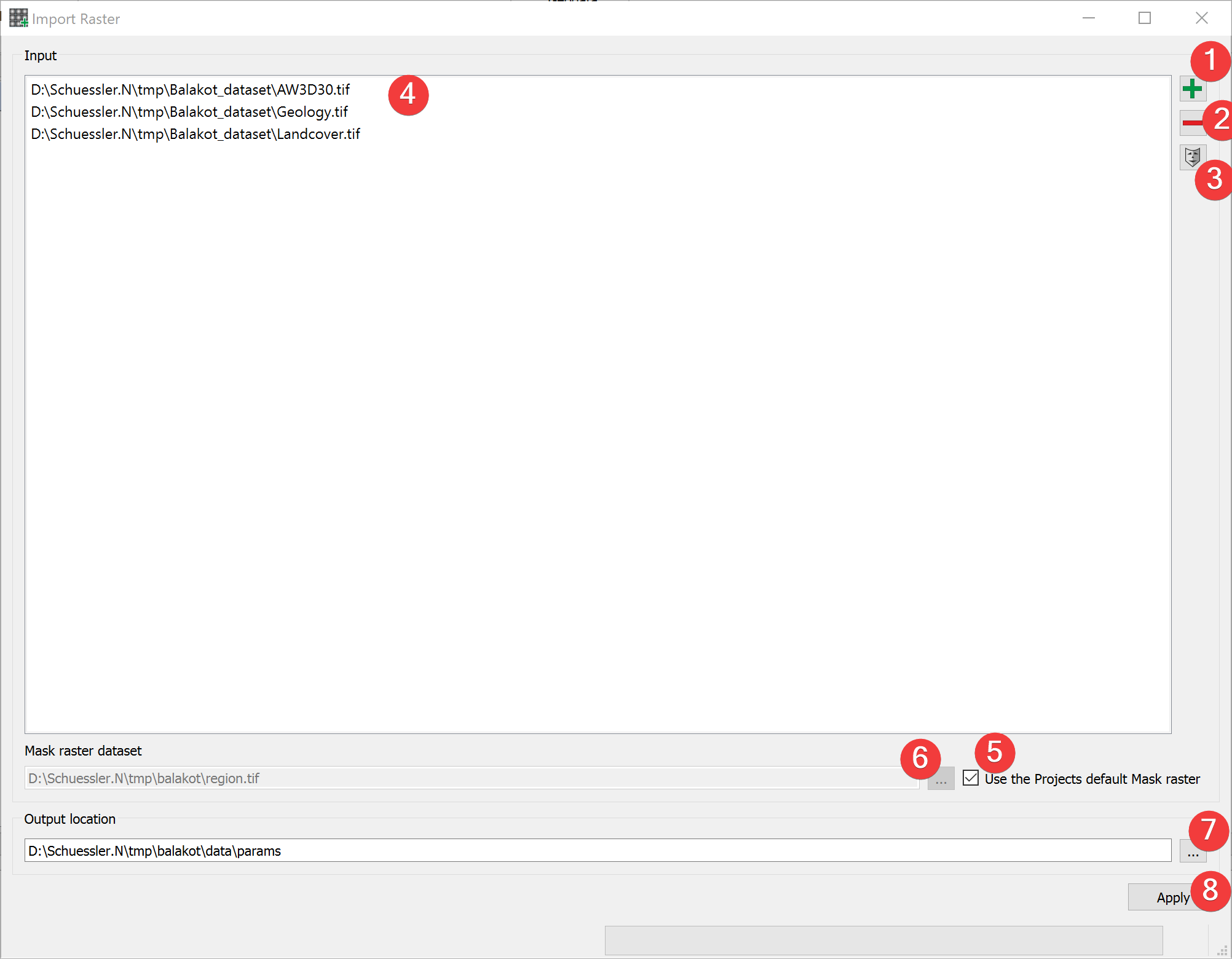
Fig. 3.2 Raster Import Widget
Import raster files into LSAT Projects.
3.1.2.1 Usage
- Add at least one raster dataset. You can either drag and drop the rasters from yourfile manager into the input list (4) or select them from your PC (1).
- (Optional) Change the mask raster dataset from the projects default by unchecking (5) andeither picking an input raster by selecting it in the list (4) and clicking (3) or pick amask from your PC (6).
- (Optional) Change the output location of the output files by either typing in an existingfolder or picking one from your PC (7)
Start the import process (8) (the import dialog opens).
To remove a raster from inputs, select it and press the minus button (2).
To achieve the best results in later analyses do not change the mask raster dataset.
3.1.2.2 Import Dialog
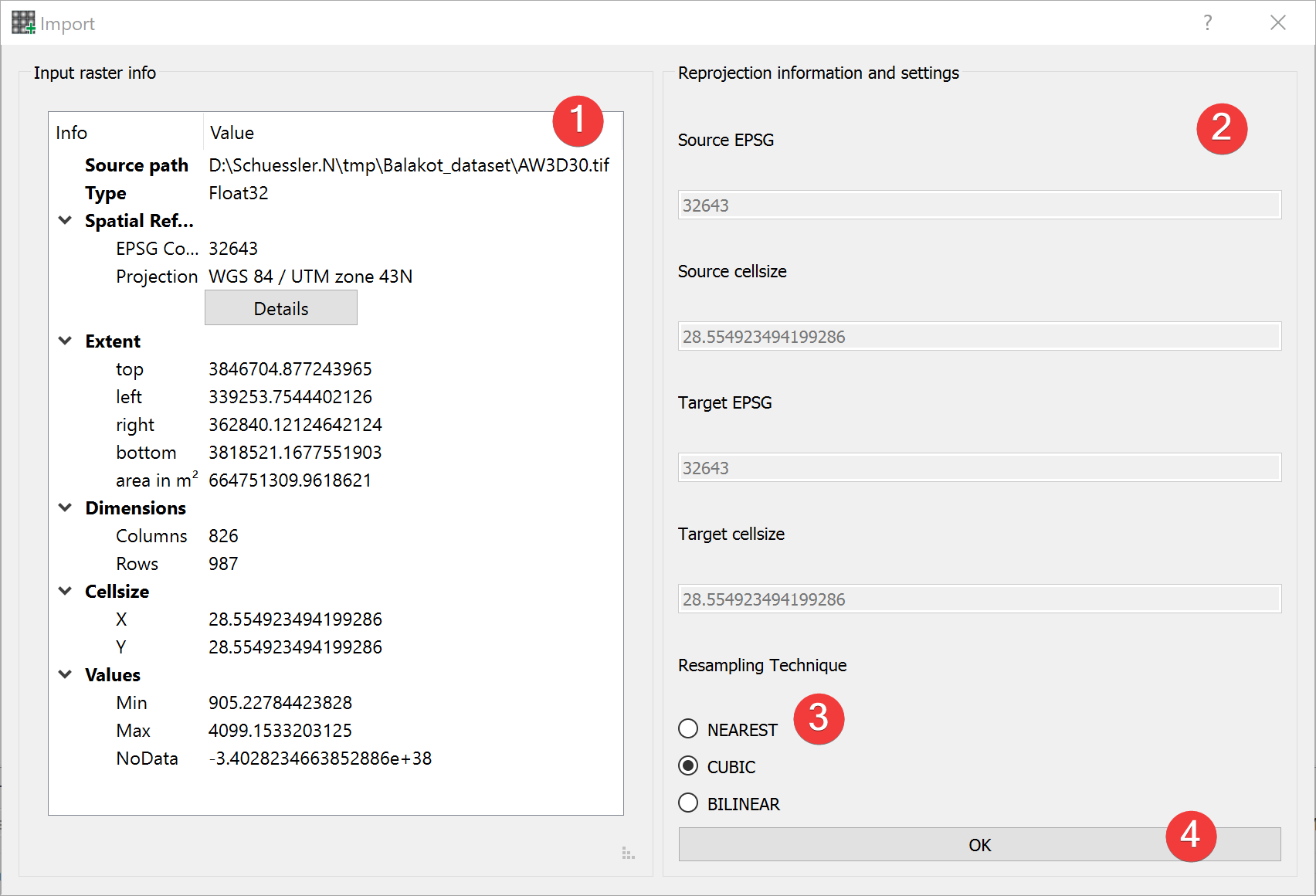
Fig. 3.3 Raster Import Dialog
The raster import dialog opens from the import raster widget and by importing the projects mask when creating a new project
Usage
Pick a resampling technique (3) best suited for the type of raster you want to import (1).
Proceed with the import (4).
The input raster info (1) shows an embedded version of the Raster Info Widget for the import raster dataset.
You can compare basic information of the mask and import raster (2).
Resampling techniques:
NEAREST
Nearest-neighbor interpolation. Should be applied when transforming discrete data (e.g., classified raster datasets) such as lithology
CUBIC
Cubic spline interpolation. Should be used when projecting continuous datasets such as DEM.
BILINEAR
Alternative to Cubic spline interpolation when projecting continuous datasets.
3.1.2.3 Import Process
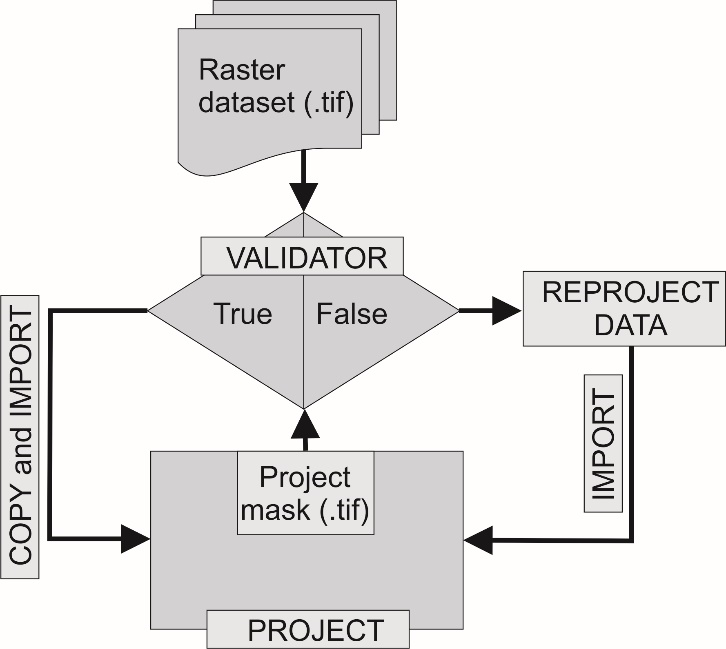
Fig. 3.4 Schematic workflow for raster dataset import
LSAT PM compares five properties of the input raster dataset to the mask raster dataset:
EPSG Code
Raster dimension (Number of rows/columns)
Raster origin
NoData count
NoData value
If all are the same the input raster dataset gets copied, else it gets reprojected.
If LSAT detects that the input raster is a discrete dataset it either copies an existing raster attribute table or creates a new one.
3.1.2.4 Input and Output
Input |
Raster datasets (.tif) Mask raster (.tif) providing the spatial reference and the cell size. (Default: project mask) |
Output |
Imported raster datasets (.tif) Path: /data/params/name.tif |
