4.1.1 Analytic Hierarchy Process (AHP)
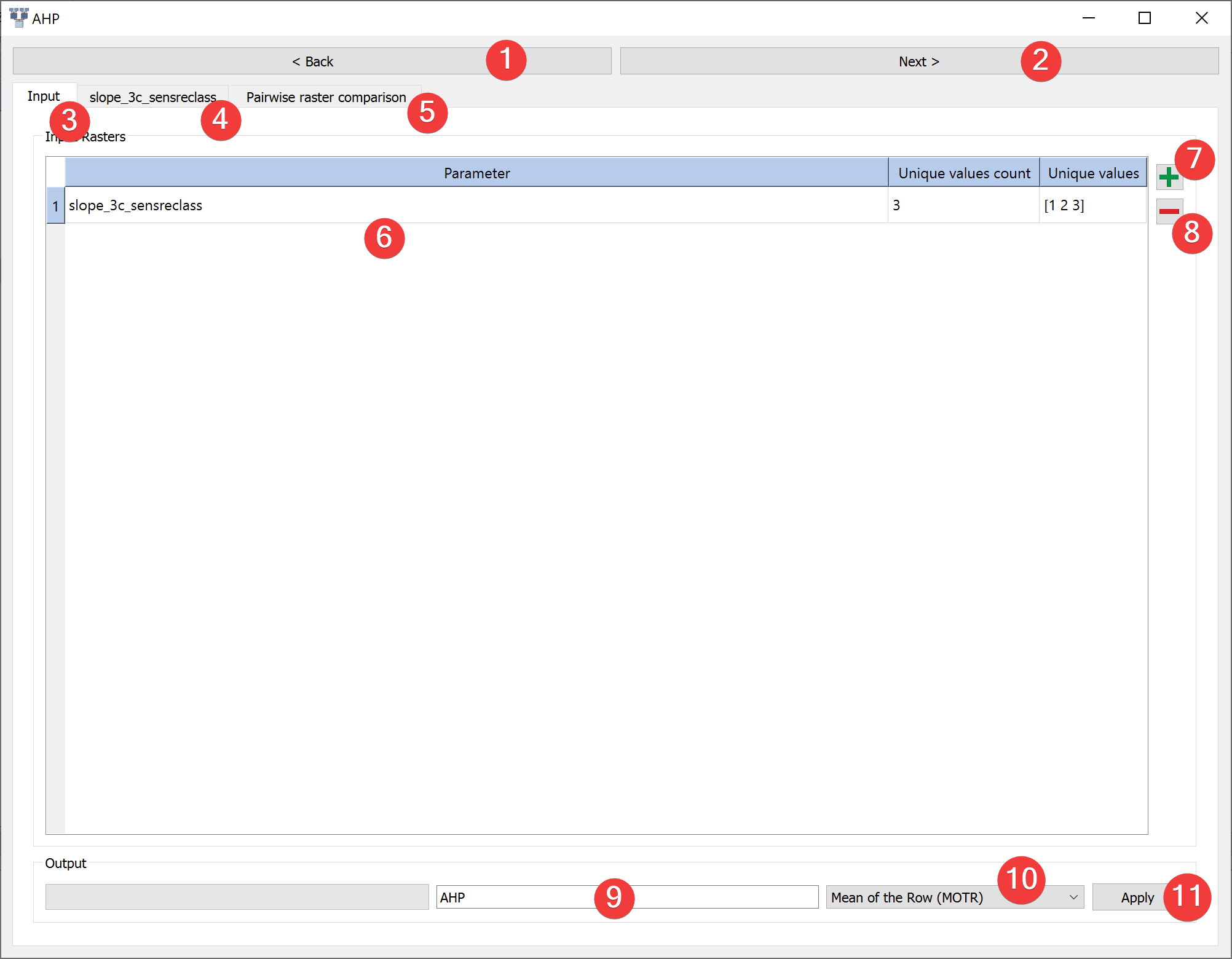
Fig. 4.1 AHP Widget - input tab
Run Analytic Hierarchy Process (AHP) analysis.
4.1.1.1 Usage
Add rasters to the calculation with a dialog (7)
Provide an name for the output files (9)
Select a method to derive the priority vector (10)
Move to the raster value comparison tab (4) or click next (2).
Remove raster datasets from the calculation by clicking (8)
Raster tabs (4):
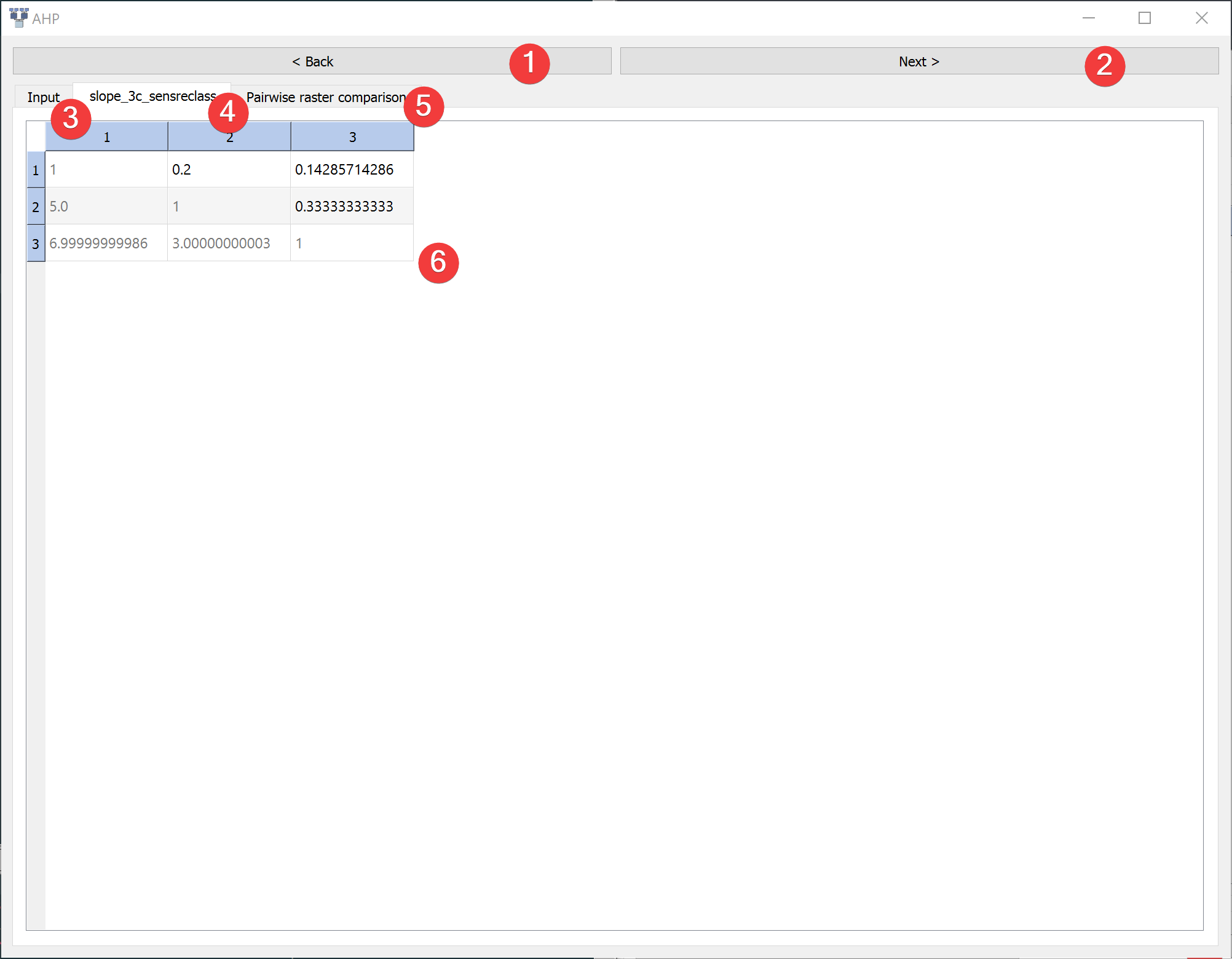
Fig. 4.2 AHP Widget - raster tab
Assign a rating to each pairwise raster value comparison (6)
Continue to the pairwise raster comparison tab (5)
Pairwise raster comparison tab (5):
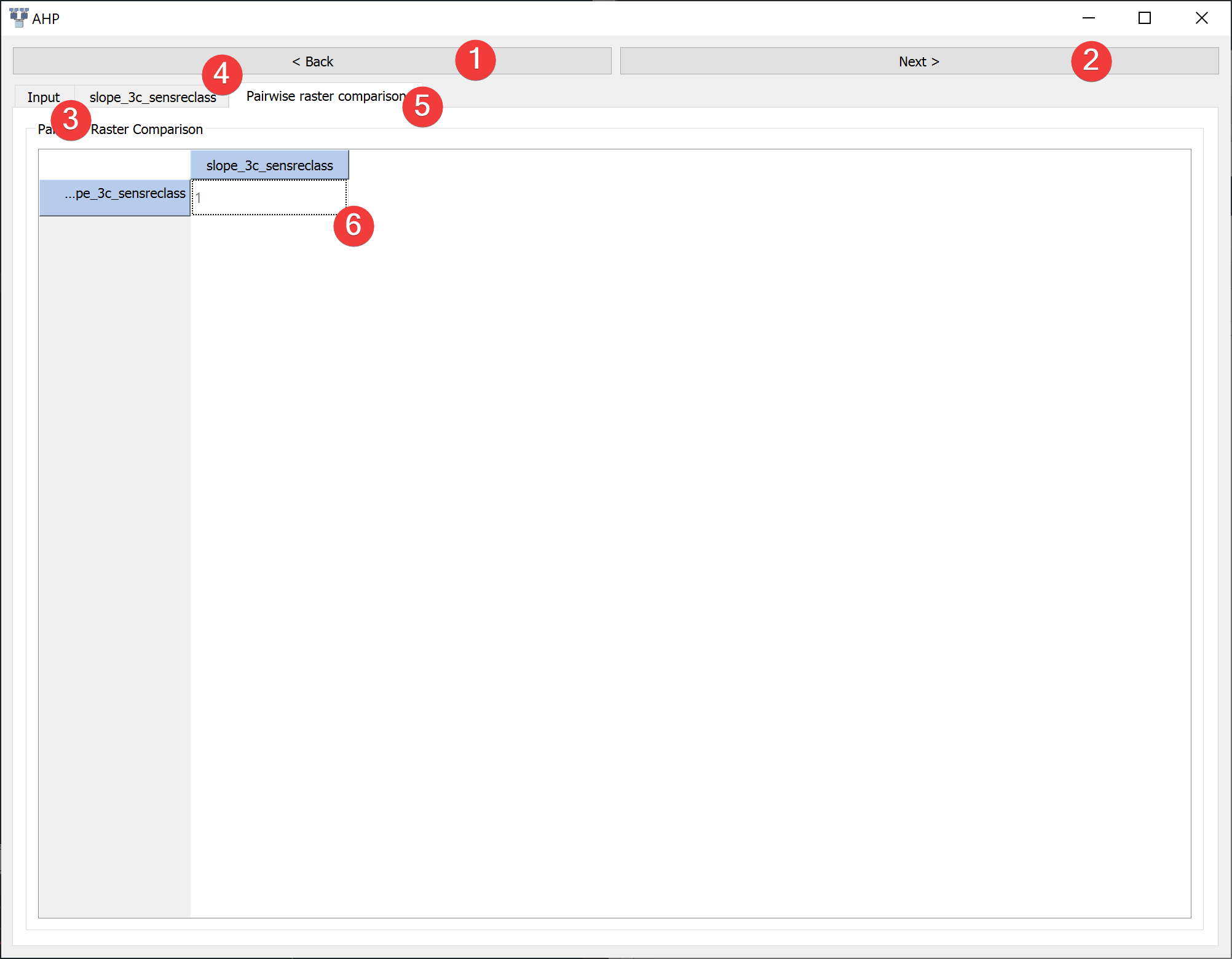
Fig. 4.3 AHP - pairwise raster comparison tab
Assign a rating to each pairwise raster comparison (6)
Return to the input tab and click Apply (11)
After the calculation finished you can view the results (2) by right clicking the output .npz in the catalog.
4.1.1.2 Information
Scale of preference (Saaty, 1977)
Intensity of importance |
Definition |
Explanation |
1 |
Equal importance |
Two activities contribute equally to the objective |
3 |
Weak importance of over another |
Experience and judgment slightly favor one over another |
5 |
Essential or strong importance |
Experience and judgment strongly favor one over another |
7 |
Demonstrated importance |
One is strongly favored and its dominance is demonstrated in practice |
9 |
Absolute importance |
The evidence favoring one over another is of the highest possible order of affirmation |
2, 4, 6, 8 |
Intermediate values |
Compromises |
Reciprocals |
Inverse comparison |
Inverse comparison |
You can write number < 1 as fractions in the pairwise comparison table, e.g. “1/7” get converted to 0.14285714286.
LSAT supports AHP for raster datasets with up to 10 values. If you have a continuous raster or a raster dataset with more unique values reclassify them first with the Sensitivity Reclassification Widget or Reclassify Widget.
4.1.1.3 Input and Output
Input |
Raster dataset(s) (.tif) |
Output |
AHP model raster dataset (.tif) Output path: /results/AHP/rasters/*output name*.tif AHP model information (.npz) Output path: /results/AHP/tables/*output name*_tab.npz |
