3.5.1 Geodata Viewer
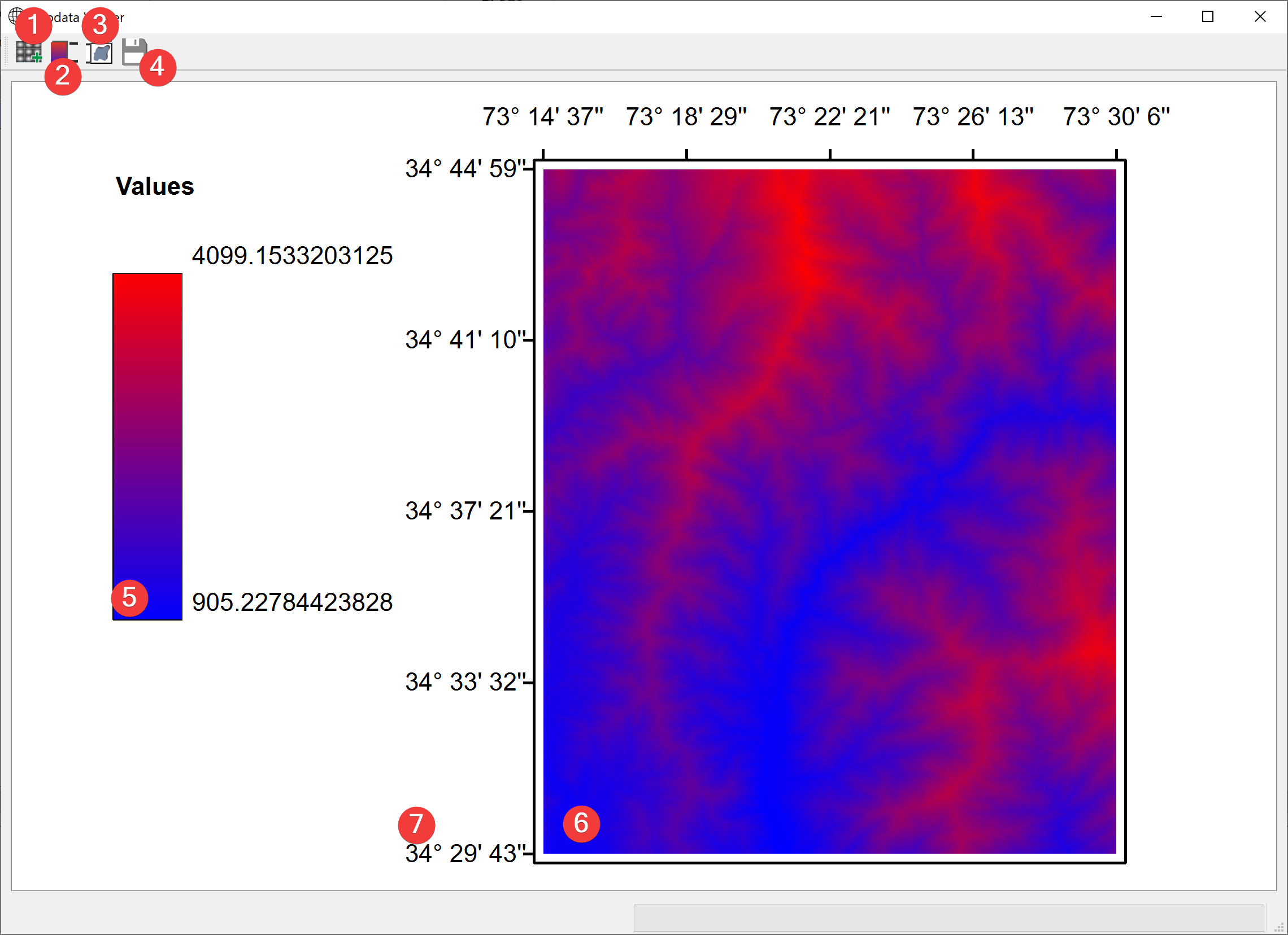
Fig. 3.22 Geodata Viewer Widget
View your projects raster datasets.
3.5.1.1 Overview
Click (1) to add raster datasets (6) to the view with a dialog
Select a raster (6) in the scene and click (2) to show its legend (5)
Add a bounding box (7) by selecting a raster (6) and clicking (3)
Export the current view as a pic (.png) with a dialog (4)
3.5.1.2 Information
If you start the Widget from the catalog the selected raster will be available from the start. This widget displays coordinates in degrees (°), minutes (’) and seconds (‘’) WGS84 (EPSG 4326).