2.1.3 Project Info

Fig. 2.5 Project Info Widget
Displays information and a user provided description of the project.
2.1.3.1 Usage
You can view spatial information about the project (1).
You can read and alter the provided description (5). Clicking on (3) opens a dialog to replace the Description with text from a .txt or .docx file. If you want to save changes to the description click (4).
You can open a WebMap (2) in your default browser:
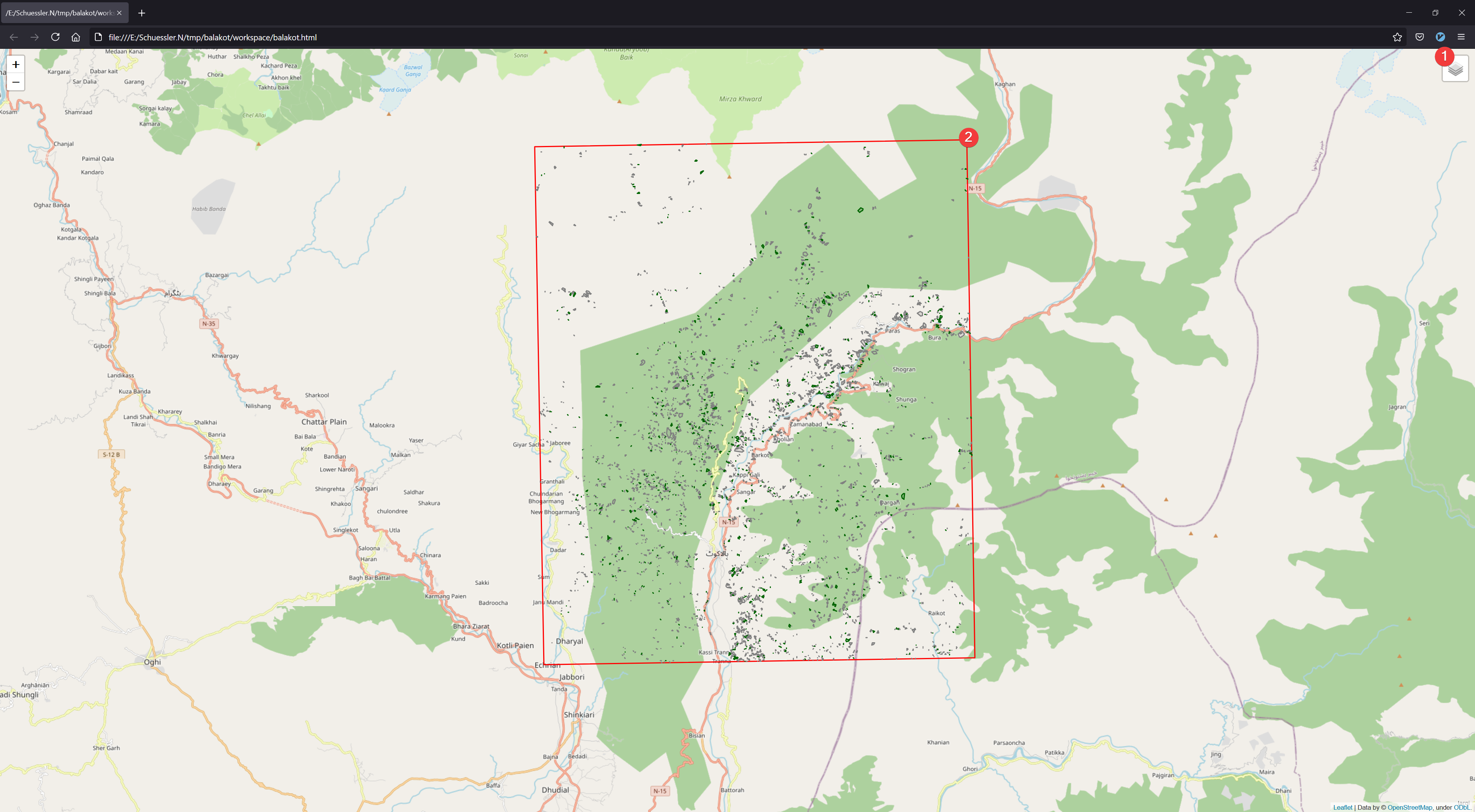
Fig. 2.6 WebMap
The map shows the projects borders (2) with OpenStreetMap as background. If you imported an inventory these datasets will also be displayed. You can hide/show layers in the menu (1)
2.1.3.2 Information
The general information (1) shows a slightly modified and embedded version of the Raster Info Widget for the mask raster dataset (region.tif).
WebMap requires an internet connection to display the OpenStreetMap layer.
The WebMap is stored in /workspace/*project name*.html. It is independent of LSAT so it can be shared among peers and colleagues.
