3.2.3 Subset By Attributes
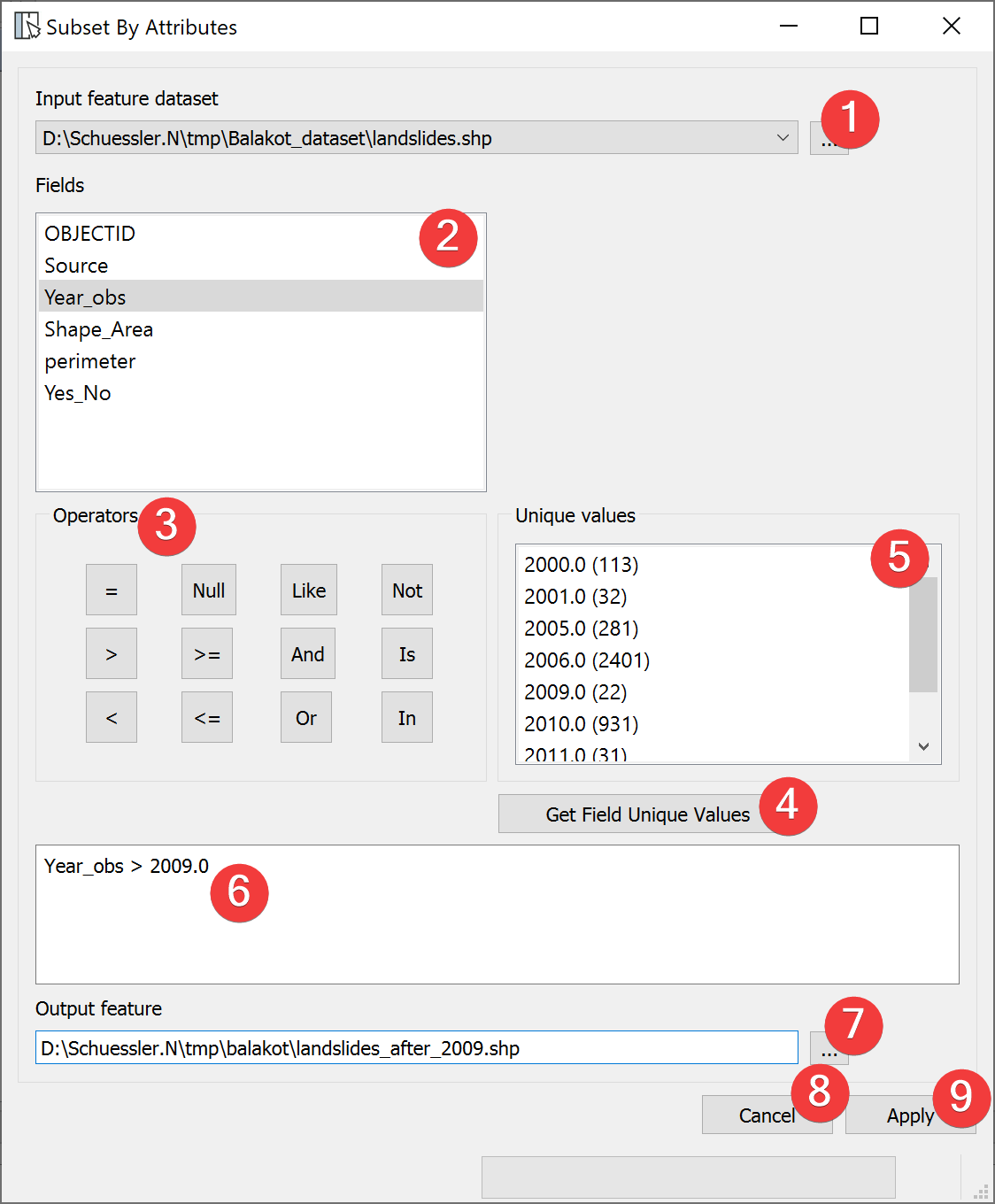
Fig. 3.7 Subset By Attributes Widget
The Subset by Attributes Widgets subsamples vector files based on values in the feature attribute table.
3.2.3.1 Usage
Select an in input vector file with a dialog (1)
Formulate an equation in the field (6) that defines the subset you want.
- Select the output vector location. You can either type in the absolute file path yourselfor pick one with a dialog (7).
Start subsampling (9).
To get a Unique values list (5) of the selected Field (2) press get Field unique values (4).
You can double click Fields (2) and Unique values to copy them into (6). Operates can be copied over by clicking on them.
Clicking on Cancel (8) closes the widget.
3.2.3.2 Input and Output
Input |
Vector dataset |
Output |
Vector dataset |
